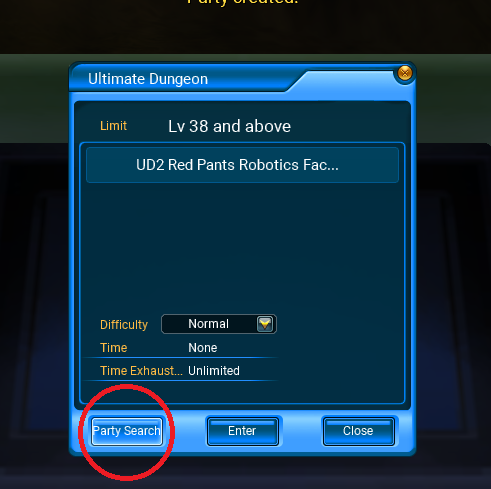
# Open the '''Group Finder''' menu from the game interface / Join in any instance by the machine and clik in Party Search.
# Open the '''Group Finder''' menu from the game interface / Join in any instance by the machine and clik in Party Search.
# Select the '''TMQ''' or '''BID''' you want to play.[[File:Captura de pantalla 2025-06-29 154027.png|center|thumb]]
# Select the '''TMQ''' or '''BID''' you want to play.[[File:Partybutton ud.png|center|frameless|491x491px]]
# Click the '''green "Enter" button'''.[[File:Captura de pantalla 2025-06-29 154240.png|center|thumb]]
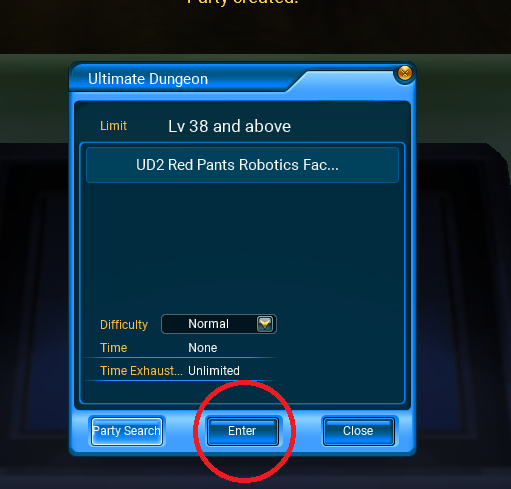
# Click the '''green "Enter"''' button from the '''Party Machine NPC''' window screen''';'''.[[File:Enterbuttond.png|center|frameless|511x511px]]
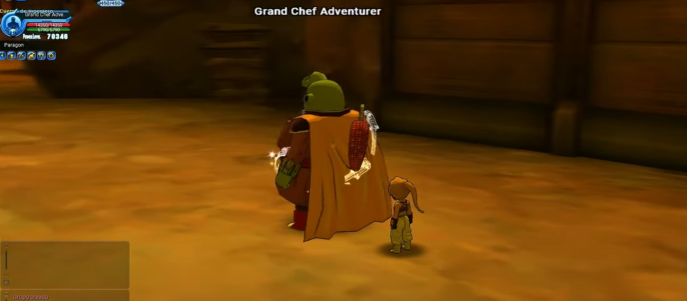
# If your team is incomplete, the system will automatically add a '''Paragon''' with the '''missing role'''.[[File:Captura de pantalla 2025-06-29 154348.png|center|thumb]]
# If your team is incomplete, the system will automatically add a '''Paragon''' with the '''missing role'''.[[File:Captura de pantalla 2025-06-29 154348.png|center|frameless|687x687px]]
<blockquote>💡 ''Refer to the following table to see how Paragons are assigned based on your party composition.''[[File:Paragons.png|center|thumb]]</blockquote>
<blockquote>💡 ''Refer to the following table to see how Paragons are assigned based on your party composition.''[[File:Paragons.png|center|frameless|591x591px]]</blockquote>
The Paragon System is a feature in Ultimate Dragon Ball Online that allows you to automatically complete a party with an AI-controlled character for missions such as TMQs (Time Machine Quests) and BIDs (Boss Instance Dungeons) when there aren’t enough real players available.
The added Paragon fills a specific missing role: Tank, Healer, or DPS.
What is it used for?
Grants access to group content without relying on other players.
Automatically fills the missing role in your party.
Ideal for solo players, off-peak hours, or incomplete groups.
Available Roles
The Paragons in the system serve one of the following roles:
Tank 🛡️: Specializes in taking damage and keeping enemies focused.
Healer ✨: Focuses on healing and keeping the team alive.
DPS ⚔️: Deals fast and consistent damage to eliminate enemies efficiently.
How to Activate the Paragon System
Open the Group Finder menu from the game interface / Join in any instance by the machine and clik in Party Search.
Select the TMQ or BID you want to play.
Click the green "Enter" button from the Party Machine NPC window screen;.
If your team is incomplete, the system will automatically add a Paragon with the missing role.
💡 Refer to the following table to see how Paragons are assigned based on your party composition.
Advantages and Limitations
Advantages
Immediate access to group content.
No dependency on online player availability.
AI optimized to fulfill basic role functions.
Limitations
Not as effective as real players.
Can't handle advanced mechanics or strategies.
Limited number of Paragons per party (You can have 1 Paragon in party depending what u need, but dont worry, if you are just 1 person the paragon u will get is a very strong one)